Free tattoo designer
Design a tattoo with real composition control
Describe the piece the way you would brief an artist — subject, composition, placement, style — and compare four artist-ready directions in one generation. The prompt is pre-filled with a symmetric mandala composition; replace it with your own concept and generate.
4 designs per set
Line sketch, 2 finished designs and a placement preview
Fine-tune placement & lookNo placement · Square 1:1 · Black & Grey · Medium
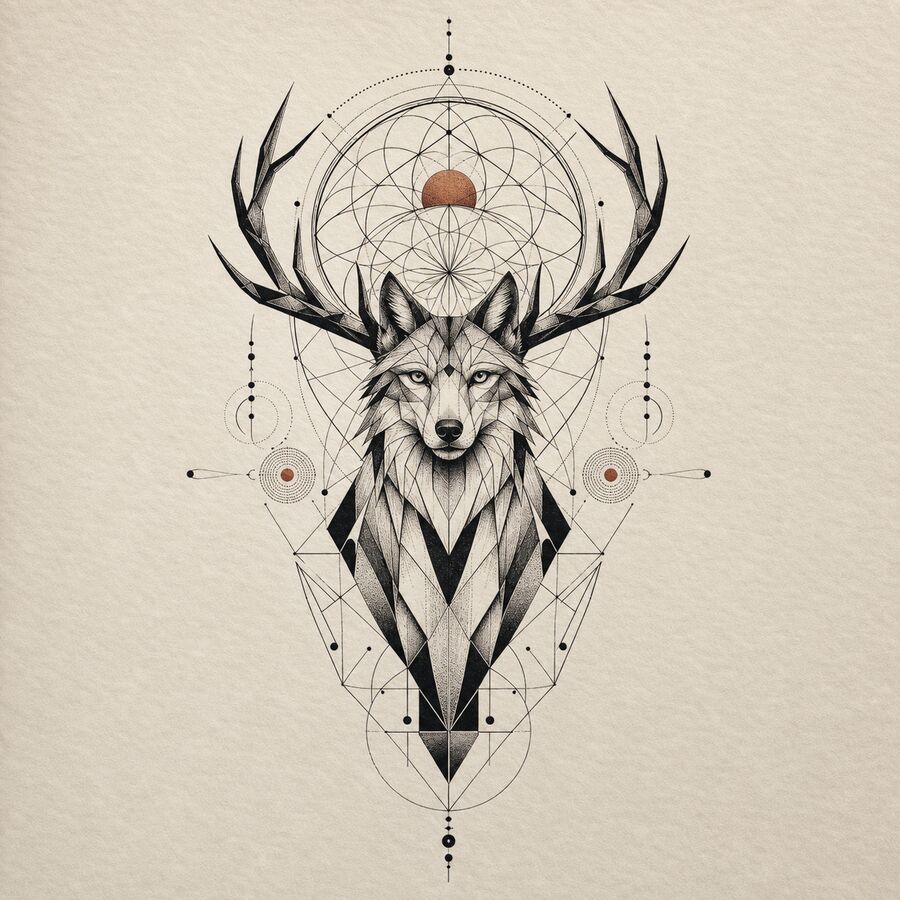
Your design appears here
Write your idea, then tap Generate — defaults are already set.
Four outputs per generation
Each run returns a line sketch, two finished directions, and a placement preview so users can compare before choosing.
Clear credit boundary
Starter credits create watermarked previews. Credit packs continue generation; Pro unlocks clean, watermark-free downloads.
No public creation gallery
InkBolt is built as a private working flow and does not automatically publish prompts or generated designs to a public gallery.
Before you bring it to an artist
- Use the line sketch as a reference for an artist, not a final stencil guarantee.
- Upload a reference photo when shape, pose, or style matters.
- Check placement and scale before committing to a studio appointment.
A tattoo designer, not just an image generator
Designing a tattoo is different from generating a picture. A tattoo has to work on a curved, moving surface; it has to hold up as ink spreads over decades; and it has to translate cleanly into a form an artist can trace and adapt. This tool is built around that distinction — treating placement, composition, and style as design decisions with consequences, not cosmetic toggles.
The default prompt below opens with a symmetric mandala composition to demonstrate composition-first thinking: balanced negative space, a clear center, and linework that scales cleanly. Replace it with your own concept — a botanical sleeve panel, a symmetric back piece, a wraparound forearm design — and the studio applies the same discipline to whatever you describe.
Every generation returns four outputs: a clean line sketch, two finished directions with shading and color, and a placement preview so you can judge scale before committing. That is the same set of deliverables a human designer would hand you after a consultation — produced in one pass instead of a week of back-and-forth.
What a good tattoo designer tool needs
Not every "tattoo generator" is built for deliberate design work. Here is what actually separates a design-grade tool from a generic image generator with a tattoo skin.
Composition control
A designer tool should let you shape layout, not just subject matter — symmetry, negative space, wraparound flow around a limb.
Placement awareness
The same subject reads differently on a forearm than a back panel. Placement should influence aspect ratio and framing, not just be a label.
Style precision
Ten distinct, tuned styles — not one generic 'tattoo filter' — so the linework and shading actually match what a specific style demands.
Artist-ready output
A line sketch variant with no shading noise, clean enough for an artist to trace, resize, and adapt without redrawing from scratch.
Placement guide for deliberate compositions
Composition decisions change depending on where the piece lives on the body. Set the placement parameter in the studio before generating — it shapes the aspect ratio and framing the AI targets.
Design as a continuous composition, not isolated motifs. Describe how elements connect — vines linking a floral cluster, waves carrying a central subject — so the piece reads as one design when wrapped around the arm.
Use the spine as a natural central axis. Symmetric compositions (mandalas, botanical panels) or a single large ascending/descending subject both work well at this scale.
Keep the composition horizontal and centered. This placement is highly visible, so balance and clean linework matter more than density of detail.
Portrait-orientation designs with a clear top-to-bottom flow suit this placement best. Set placement to forearm so the generator frames a vertical composition.
The curved, narrow canvas favors tall, narrow compositions — a single stem, a vertical script piece, or a slim geometric pattern.
Writing a prompt for composition control
Composition-aware prompts describe layout, not just subject. The formula that works best: [subject] + [layout/composition] + [placement context] + [style note].
Example — symmetric back panel
'Symmetric botanical mandala centered on the spine, radial balance, fine-line geometric style, generous negative space'
Example — wraparound sleeve
'Continuous floral vine wrapping from shoulder to wrist, connected composition, neo-traditional style with bold outlines'
Example — vertical rib piece
'Single tall lotus stem with linework detail, narrow vertical composition for the ribcage, minimalist fine-line style'
Example — centered chest piece
'Horizontal symmetric composition of a phoenix with spread wings, centered on the chest, traditional bold outline style'
After your first generation, use Refine for targeted composition adjustments — 'shift the balance left', 'add more negative space', 'make the wraparound tighter' — without discarding the underlying layout.
Style precision: matching composition to technique
Composition and style are linked. A symmetric mandala needs the crisp, even linework of geometric or fine-line styles to stay legible — the same layout rendered in watercolor loses its structural clarity. A wraparound botanical sleeve suits neo-traditional or Japanese irezumi, both of which are built to carry flow across a limb. Before locking a composition, generate it in two candidate styles and compare which one keeps the layout readable at the size you actually want.
Explore related tattoo tools
- AI tattoo generator — the full studio for open-ended exploration across all styles and placements.
- Tattoo maker — for when speed matters more than deliberate composition control.
- Image to tattoo — turn an existing sketch, logo, or photo into tattoo-safe linework.
- Virtual tattoo try-on — preview your finished design on your actual skin before you book.
Frequently asked questions
What makes a good tattoo design? +
A good tattoo design balances a clear silhouette, appropriate line weight for the body area, and negative space that lets the piece breathe. The tattoo designer factors composition, placement, and style together instead of generating a flat image in isolation.
Can I control the composition, not just the subject? +
Yes. Placement shapes aspect ratio and framing; describing composition explicitly in the prompt — symmetric, asymmetric, wraparound, centered — steers the layout directly.
Does it work for large pieces and sleeves? +
Yes. Select a placement like forearm, upper arm, or back before generating, and describe the piece as a sleeve or panel composition so it reads correctly at full scale.
How many designs do I get per generation? +
Four: a clean line sketch, two finished design directions, and a placement preview — all from a single generation.
Is the tattoo designer free to use? +
Yes. Sign in to get 8 free credits. Watermark-free high-resolution downloads unlock with Pro; one-time credit packs are available for more generations.